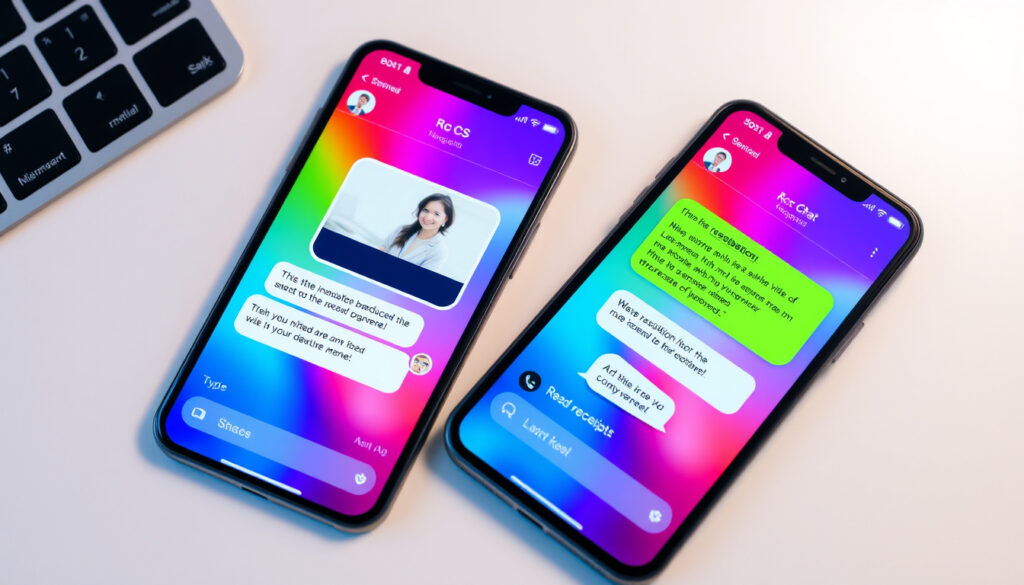
What Does RCS Mean in Texting? Full Guide to RCS Messaging
If you’ve ever noticed your messages shifting from “SMS” to “RCS,” you’re not alone—and it’s probably not a glitch. RCS (Rich Communication Services) is the upgrade your phone has been quietly building toward for years, bringing texting into the era of high-resolution photos, read receipts, and typing indicators. For the first time, iPhone and Android users can share the same rich messaging experience without Apple’s blue bubble divide.
Full Name: Rich Communication Services · Primary Upgrade From: SMS · Key Features: High-res media, read receipts, typing indicators · iOS Support Since: iOS 18 · Android Default App: Google Messages
Quick snapshot
- Global adoption rates by carrier and region post-2024
- Exact timeline for full cross-platform end-to-end encryption
- Non-US regional variations in RCS feature availability
- RCS development began in 2007; Universal Profile rollout started 2017 (Wikipedia)
- iOS 18 RCS rollout began September 2024 (Apple Support)
| Attribute | Value |
|---|---|
| Protocol | Rich Communication Services |
| Predecessor | SMS/MMS |
| Key App | Google Messages |
| iOS Rollout | 2024 |
| Android RCS Users | 1 billion |
| SMS Character Limit | 160 characters |
| RCS Message Length Max | 250,000 characters |
What Does RCS Mean in Texting?
RCS stands for Rich Communication Services, a protocol that enhances traditional SMS with features like high-resolution media sharing, read receipts, and typing indicators. The GSMA developed RCS as the evolution of SMS for modern smartphones, moving beyond plain text into a richer messaging experience.
RCS Full Form and Basics
Unlike SMS, which uses cellular networks only, RCS relies on internet connectivity—Wi-Fi or mobile data—to deliver its enhanced features. Where SMS caps out at 160 characters, RCS supports up to 250,000 characters per message. The T-Mobile analysis describes it as “the capabilities of third-party messaging apps directly to your standard messaging system.”
RCS vs Traditional SMS
SMS has universal compatibility across all mobile devices without requiring data, giving it superior reach to RCS. However, RCS transforms texting by enabling high-resolution photo sharing, group chat management features, and interactive elements like payment action buttons. For most modern messaging needs, RCS represents a substantial upgrade—provided both parties have compatible devices.
SMS remains the universal fallback: if RCS is unavailable, your message still goes through as plain SMS. This reliability ensures no message is truly lost, even in areas with spotty data coverage.
Why Does My Text Say RCS Message?
Your phone displays “RCS message” when both you and your recipient support RCS and are connected via the internet. The Sinch breakdown confirms that RCS falls back to SMS when unavailable, ensuring delivery even when conditions aren’t ideal. Think of it as your phone automatically upgrading your message when the infrastructure supports it.
When RCS Activates
RCS automatically activates when both devices meet three conditions: support RCS natively, have the feature enabled in settings, and are connected to the internet. For cross-platform chats between iPhone and Android, this automatic upgrade is the most significant change introduced by iOS 18. Apple’s support documentation confirms that RCS enables sending high-res photos, videos, and links to non-Apple devices with full indicators.
RCS Indicators on Android and iPhone
On iPhone, RCS conversations appear with green bubbles—the same indicator used for traditional SMS/MMS—distinguishing them from iMessage’s blue bubbles. The Bandwidth comparison clarifies this visual distinction: green means RCS or SMS active, while blue indicates iMessage within Apple’s ecosystem.
Green bubbles no longer mean “inferior messaging”—they simply indicate you’re chatting with an Android user or using SMS fallback. The gap between platforms has genuinely narrowed.
What’s the Difference Between RCS and SMS Texting?
Two messaging protocols, one fundamental difference: SMS is cellular-only with zero frills, while RCS leverages the internet to deliver an experience closer to WhatsApp or iMessage. The contrast is stark in both capability and security.
Feature Comparison
The feature gap between these protocols is substantial across every dimension that matters for modern messaging.
| Feature | RCS | SMS | iMessage |
|---|---|---|---|
| Platform Support | Cross-platform (Android/iOS) | Universal | Apple only |
| Media Quality | High-resolution | None | High-resolution |
| Character Limit | Up to 250,000 | 160 | Unlimited |
| Read Receipts | Yes | No | Yes |
| Encryption | In-transit TLS; E2EE Android-Android | None | End-to-end (Apple ecosystem) |
| Internet Required | Yes | No | Partial |
| Group Chats | Yes (with management) | Basic MMS groups | Yes (enhanced) |
What this table makes clear: RCS closes most of the feature gap with iMessage while finally bringing cross-platform parity. SMS remains the backup option when nothing else works.
RCS vs iMessage
The iOS 18 release brought RCS to iPhone, but Apple kept its proprietary advantage: iMessage remains end-to-end encrypted within the Apple ecosystem, while RCS on iPhone currently lacks cross-platform E2EE. The Sinch analysis explains that RCS E2EE works Android-to-Android only, with Apple’s own iMessage staying siloed for security-conscious users who never leave the Apple ecosystem.
What this means: iPhone users gain cross-platform compatibility but trade some privacy protections when messaging Android. For pure Apple households, iMessage still wins. For everyone else, RCS bridges the gap.
Is It Better to Have RCS On or Off?
For most users, RCS on delivers meaningfully better messaging. The trade-off is minimal for Android users, while iPhone users have slightly more to consider given the security nuances with cross-platform contacts.
Pros and Cons of RCS
Upsides
- High-resolution photos and videos send without compression
- Read receipts and typing indicators improve conversation flow
- Group chats include management features like naming and adding participants
- Cross-platform (Android/iOS) messaging now works seamlessly
- In-transit encryption adds a layer of protection SMS lacks
Downsides
- Requires internet connection—SMS fallback if unavailable
- iPhone RCS lacks end-to-end encryption cross-platform
- Carrier support varies; not universal on all networks
- Uses data, which matters on limited mobile plans
When to Disable RCS
Turn off RCS if you’re on a severely limited data plan and every megabyte counts, or if you’re particularly privacy-conscious and regularly message Android contacts. Otherwise, leaving it enabled generally improves your messaging experience without significant drawbacks.
How Do I Get Rid of RCS in Texting?
Disabling RCS is straightforward on both platforms—though the settings paths differ between Android and iPhone. Here’s how to revert to SMS-only messaging if that’s your preference.
Turn Off RCS on Android
In Google Messages, open the app, tap your profile picture, select Messages > RCS chats, and toggle the feature off. Your messages will revert to standard SMS/MMS, which means no read receipts, typing indicators, or high-res media sharing with your contacts.
Disable RCS on iPhone
Navigate to Settings > Messages > RCS chats on iOS 18 or later, then toggle the switch to off. Bandwidth’s guide notes that this path has been available since the iOS 18 launch, giving iPhone users full control over their messaging protocol preference.
Apple’s iOS 18 release included Rich Communication Services (RCS), the industry text messaging standard.
— Google (Android Developer), Google Store
Whether you’re Team iPhone or Team Android, it doesn’t really matter anymore. At least when it comes to messaging.
— Sinch (Messaging Provider), Sinch
Related reading: What Is Vibe Coding · What Is a Hedge Fund
Frequently asked questions
What phones use RCS messaging?
RCS is available on Android devices running Google Messages (the default on most Android phones) and on iPhones running iOS 18 or later. Support depends on your carrier—major US carriers like T-Mobile, AT&T, and Verizon support iOS 18 RCS, while global rollout varies by market and carrier agreements.
Does RCS message cost money?
RCS uses your internet data rather than SMS credits, so it doesn’t cost per-message like traditional SMS. If you’re on Wi-Fi or an unlimited data plan, RCS is effectively free. However, if you have a very limited data cap, RCS will consume data while SMS would not.
Why is my phone using RCS instead of SMS?
Your phone automatically uses RCS when both parties support it and you have an internet connection. This is normal behavior—the GetStream glossary explains that RCS upgrades your messaging automatically when the protocol is available, falling back to SMS when it’s not.
Does RCS message mean blocked?
No, RCS doesn’t indicate blocking. An RCS message means your phone detected RCS support from the recipient and used the enhanced protocol. Blocked contacts typically show no delivery notification at all, not a different protocol indicator.
What does RCS mean in texting Samsung?
On Samsung devices, RCS works the same as other Android phones—Google Messages is typically the default app handling RCS. Samsung Galaxy phones have used RCS since Android’s native support expanded, giving Samsung users the same high-res media, typing indicators, and group chat features as other Android devices.
What does RCS mean in texting Android?
On Android, RCS is the native messaging upgrade provided by Google Messages. It transforms standard SMS into a rich messaging experience with read receipts, typing indicators, and high-resolution media sharing. The GetStream confirms Google provides RCS for Android as a native enhancement over SMS/MMS.
What does RCS mean in texting iPhone?
On iPhone, RCS means your iOS 18 device is using the cross-platform messaging standard when texting non-iMessage contacts. It appears as a green bubble and delivers the same features Android users have enjoyed—high-res photos, read receipts, and typing indicators—but with Android. The Apple Support page confirms iOS 18 sends RCS to non-Apple devices with full indicators.
More related posts
 Atlético Madrid vs Inter: Head-to-Head, Players & Stadiums
 One of Them Days Movie – Keke Palmer, SZA Cast, Plot, Release
 Teamwork Makes the Dream Work: Meaning, Origin, and 3 C’s Explained
 Best Mediterranean Restaurant Near Me | Dublin & Cork Guide
 How to Make a Milkshake: Step-by-Step Guide & Tips
 Emilia Clarke Movies and TV Shows: Filmography and Health
 Vin Diesel Movies List – Complete Release Order Guide
 Charlotte Hornets vs Dallas Mavericks Player Stats – Jan 29, 2026